
 What is CloudCast?
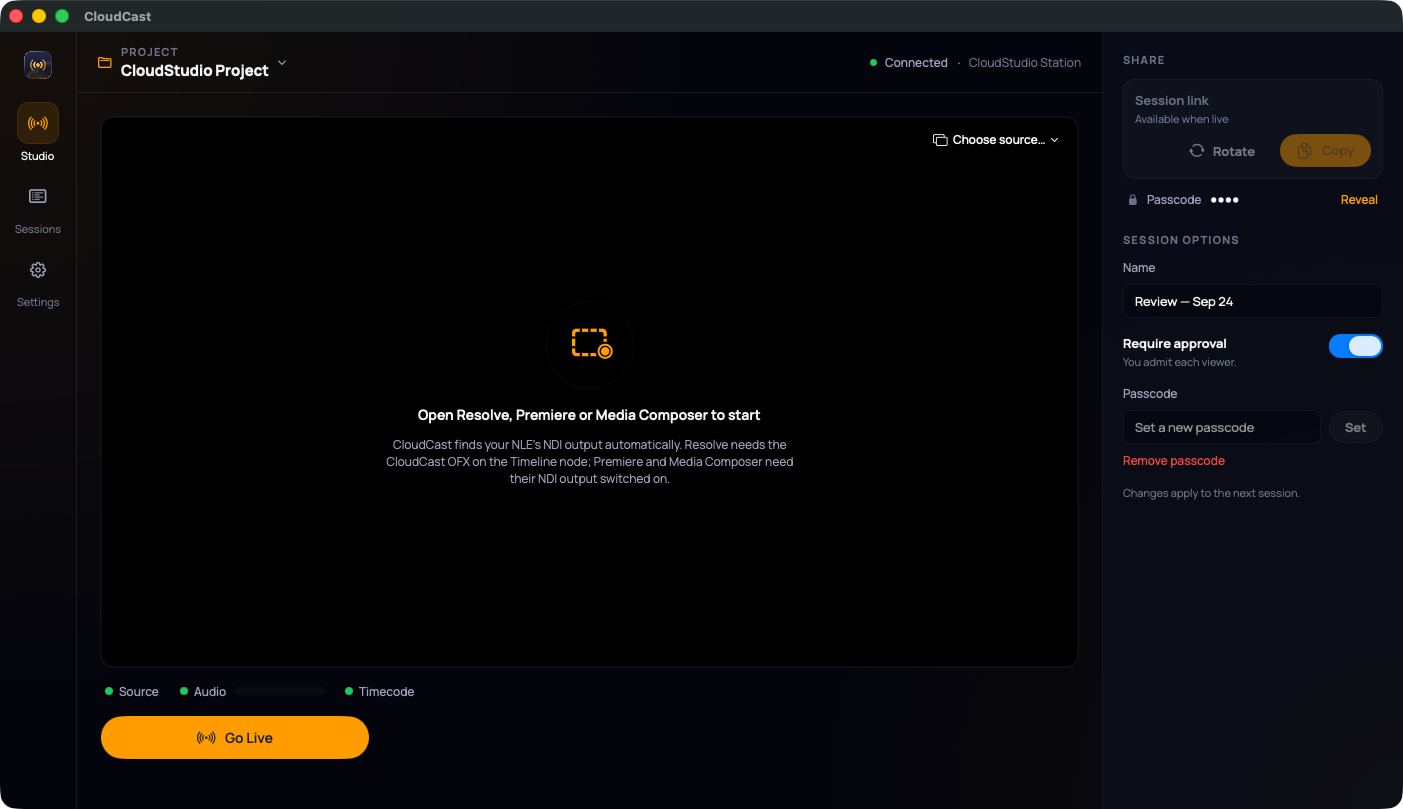
CloudCast streams the picture and sound from your editing app to reviewers in a web browser. It works live, at full frame rate. Reviewers leave notes pinned to timecode, and the notes show up next to you while you work.
Who does what
| You are… | You use… | Start here |
|---|---|---|
| The editor or colorist on a CloudStudio station | The CloudCast Mac app | Set up your editing app, then Go live |
| A client, producer or anyone reviewing | A web browser. Nothing to install. | Join a review |
| A CloudStudio admin | Broadcast in the CloudStudio web app | Notes and exports |
Supported editing apps: DaVinci Resolve, Adobe Premiere Pro, Avid Media Composer.
What reviewers get:
- The live picture with timecode.
- Sound from your timeline.
- Talkback with the room: their mic starts muted.
- Notes grouped by category: Color, Mix, Edit, Graphics, VFX, Misc.
Before your first session
Your station has to be assigned to the project you're reviewing. If CloudCast says "This Mac isn't set up for CloudCast yet", ask your CloudStudio admin to assign it.