
 What is CloudStudio Transfer?
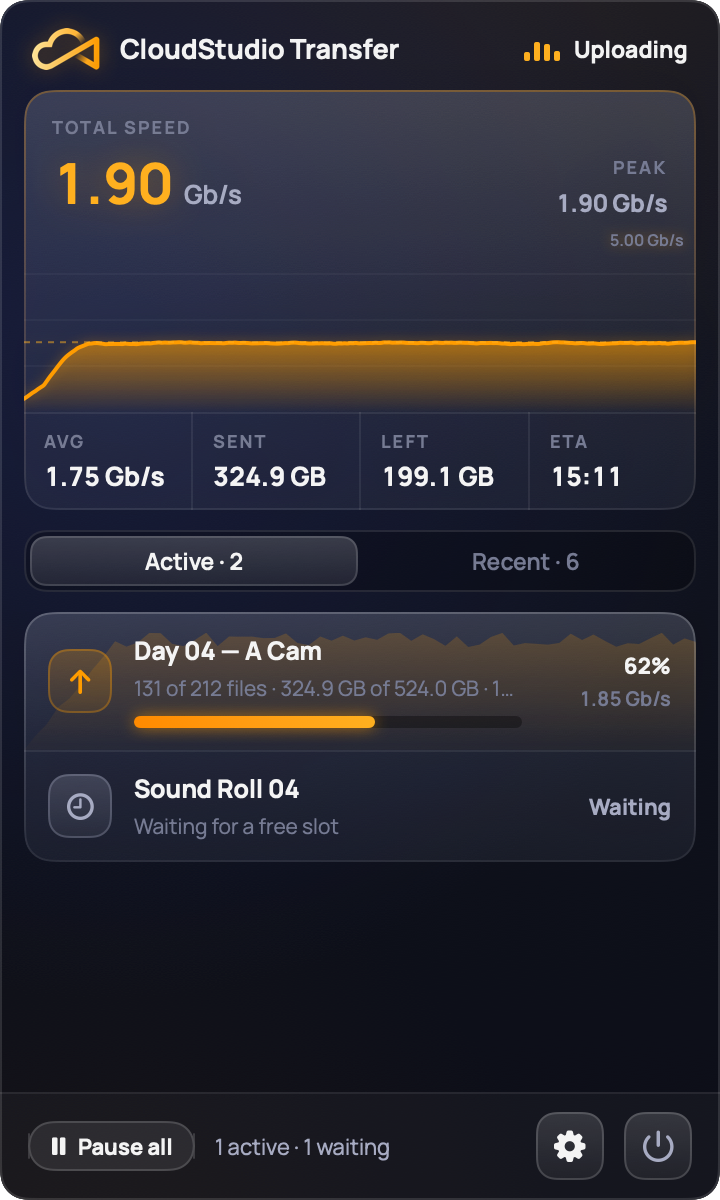
CloudStudio Transfer is a small Mac app that lives in your menu bar. It moves your uploads and downloads at full line speed, straight from your drive, instead of pushing them through a browser tab.
You still start every transfer on the CloudStudio website. The app does the moving and shows you how it's going.
What it's good at
- Speed. Big camera cards, conforms and deliverables go at the speed of your connection, often several times faster than a browser upload.
- Reliability. A dropped Wi-Fi or a sleeping Mac doesn't lose your work. The app retries on its own and picks up where it left off.
- Whole folders. Send or receive folders with their structure intact.
- Peace of mind. Every file is checked on the server before a transfer counts as done.
New in 2.0
| New engine | A faster CloudStudio-built transfer engine, used automatically where your team has it turned on. Everything else runs on the engine you already know. You don't pick; the app does. |
| New panel | Live speed graph, total speed, time left, and every transfer in one place. |
| Pause and resume | Hover a transfer to pause it, or use Pause all. |
| Recent | Finished transfers, grouped by day, with Show in Finder for downloads. |
| Speed limits | Cap uploads or downloads so the rest of the office keeps its internet. |
| Settings in the panel | Where downloads go, how many transfers run at once, keep your Mac awake, notifications. |
| Speed test | Check your connection without leaving the app. |
| Picks up after a restart | Unfinished transfers carry on when the app opens again, even after an update. |
What you need
- A Mac running macOS 13 Ventura or later (Apple silicon or Intel).
- A CloudStudio account, or a share link someone sent you.