
Download files
Start a download
In CloudStudio, select one file, several files, or a whole folder, and choose Download. If CloudStudio Transfer is running, the website hands the download to the app and shows "Running in the CloudStudio Transfer app."
Folder downloads need the app on most storage. If it isn't running, you'll be asked to install or open it.
Choose where files go
By default, the app asks every time: pick a folder and click Download Here.
To skip that question, open the panel, click the gear, and set Save downloads to:
- Ask each time (default)
- Downloads
- Choose… any folder, such as a media drive.
Folder and share-link downloads land inside a folder with the same name, so nothing spills loose into your Downloads.
Watch it
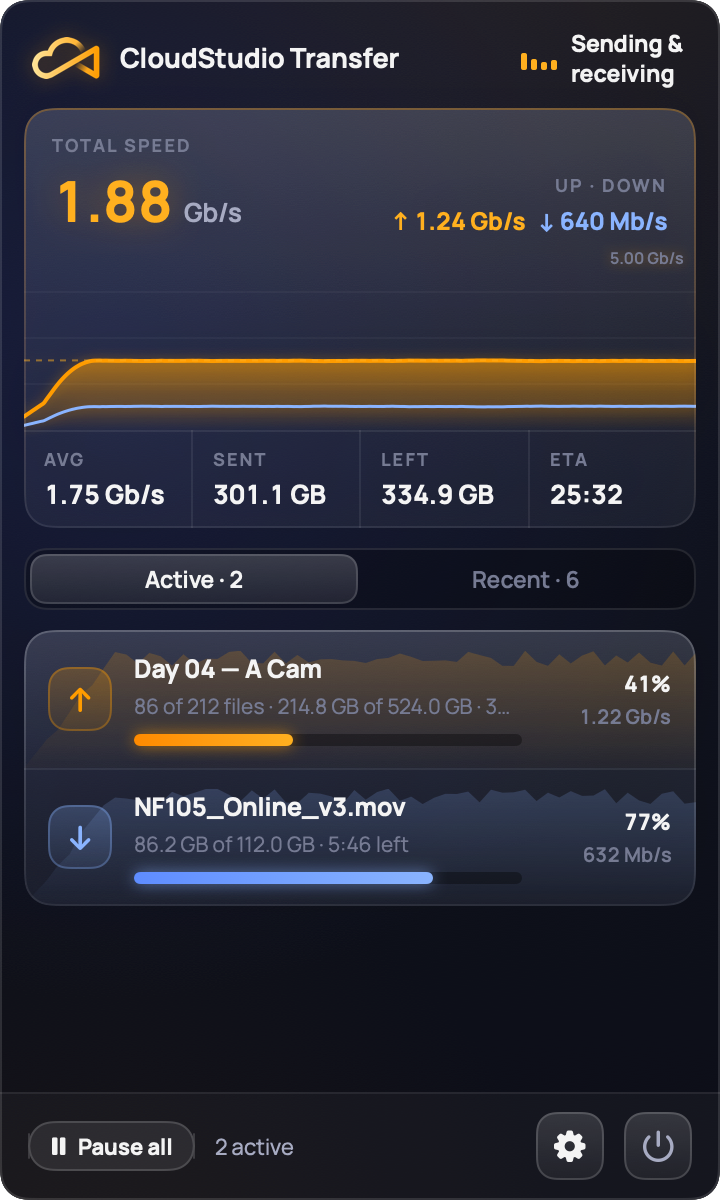
Downloads show in the panel with a blue ↓ and a blue line on the graph.
Find it afterwards
Open the panel and click Recent. Use the Downloads filter, then click the magnifying glass on a row to Show in Finder.
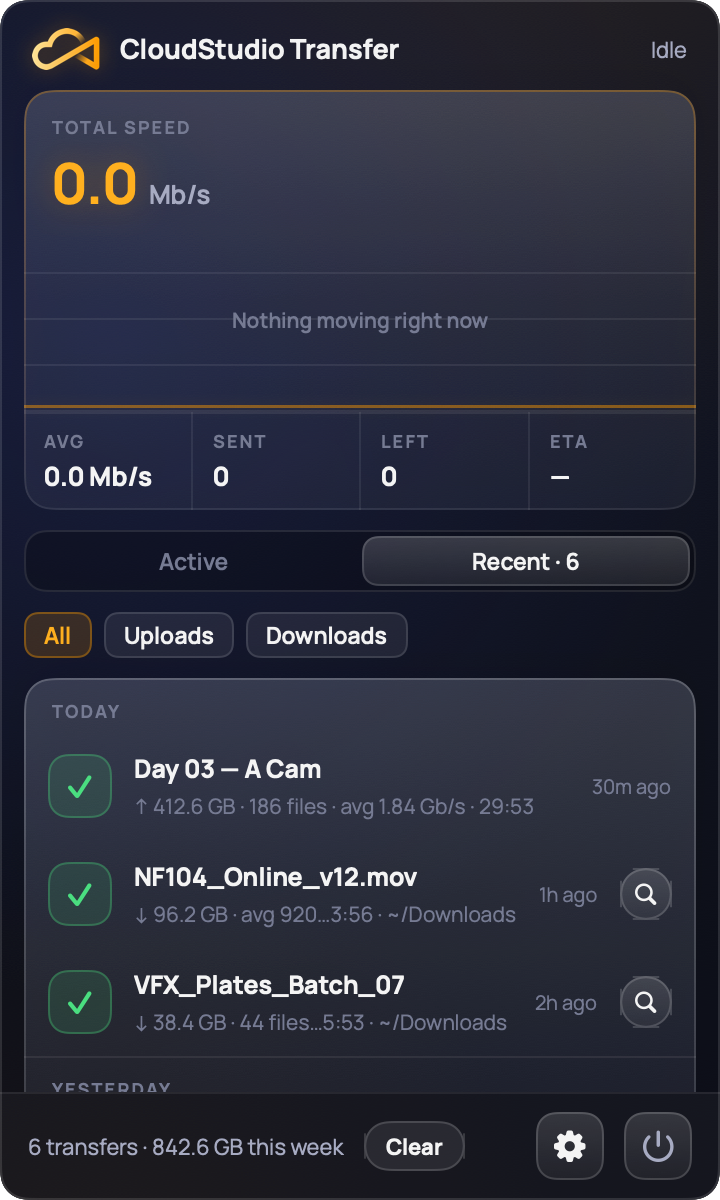
Each row shows the size, number of files, average speed and how long it took.